


"Ask Canva" to Transform Your Designs!

Canva has been releasing AI features for the last couple of years. To me, many of them have seemed a bit gimmicky and not super beneficial to the average user. Last week, I was in a webinar unrelated to Canva where someone had a really cute image on their slide. Someone commented and the presenter said she used Canva to make her uploaded image look like it had been colored with crayon. I thought to myself...Canva can do that?? How did I miss that update??
Turns out it came out about a month ago and I have just been ignoring it...but you may have noticed a little "Ask Canva" button on your designs when you select something:
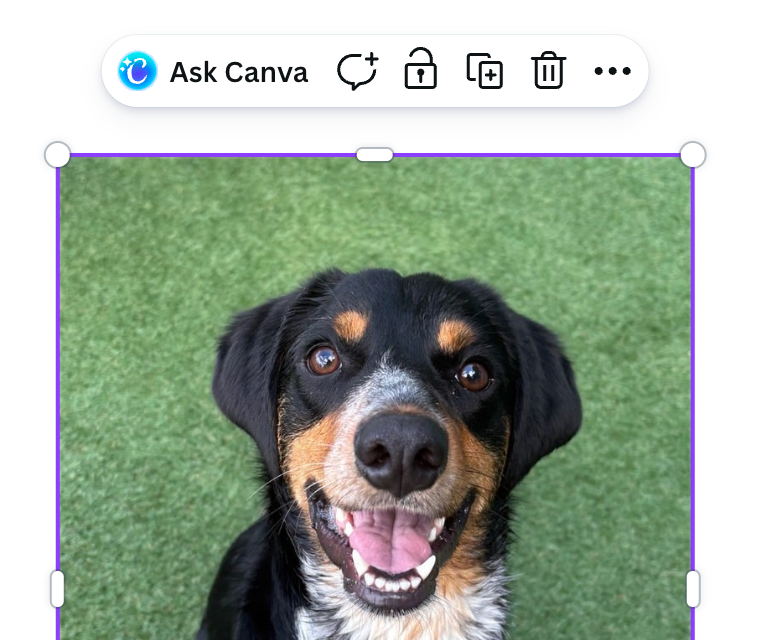
Well it turns out, when you click on that, you can ask Canva to make adjustments to your image! Perhaps I want to make this dog into a 3D animated style that could fit in with the Paw Patrol crew. I can type in a prompt (I used "Make this dog into a 3D animation style similar to Paw Patrol. He should be a bandit.") and then Canva will generate a new image for me (or possibly ask me clarifying questions). It will be shown as a small thumbnail image, but I can then opt to insert it into my design!

This is not specific to photos and it does not need to be your own uploaded content. You can also try using one of Canva's stock photos or graphics and making adjustments to those!

The "Ask Canva" feature can also be used to ask general questions about designs, color schemes, fonts, etc. For example...I asked Canva what would be a good name to go with that penguin logo. It gave me 3 choices. I clicked one and it added a textbox with that name. Next I asked what would be a good font to match the theme and logo and it provided me with two suggestions. I picked the one I liked, made it a little bigger, and then selected it and asked Canva to make it look like it was written in crayon. Here is my final result:

If you're like me and you have been ignoring that little "Ask Canva" button...consider giving it a try. It can do some pretty cool things to help improve and customize your designs!
Comments