


Supporting Language Learners with SchoolAI Spaces

SchoolAI Spaces can be used for a lot of great creative and interactive learning experiences for students. They can also be used to increase teacher productivity by automating repetitive tasks. I found myself chatting with our ESOL teacher one day about how AI could be used to support her students and their classroom teachers beyond just simply translating content. This led to multiple conversations, exploring ideas, creating two awesome Spaces, and then presenting about them at a conference for other ESOL/MLL teachers!
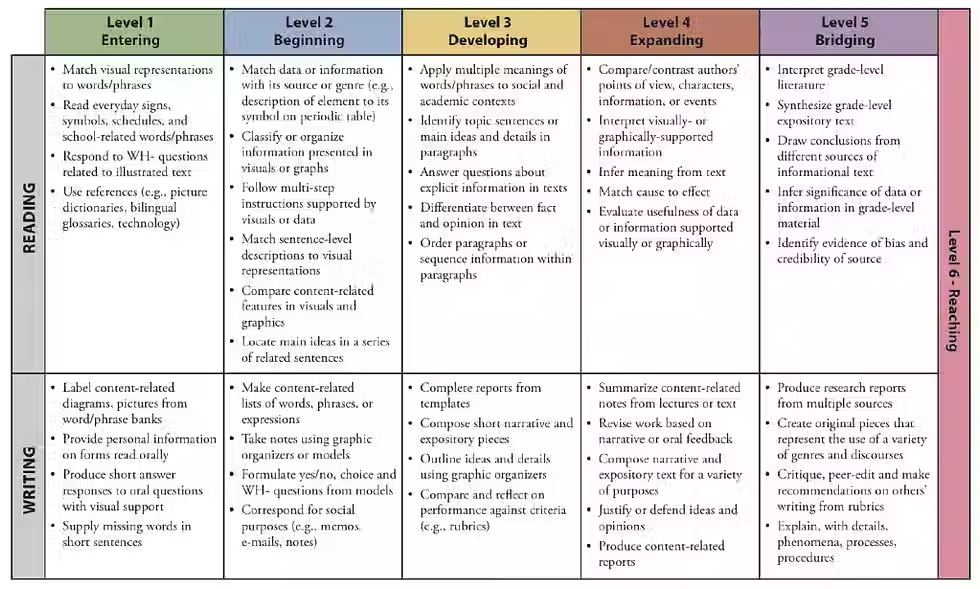
The first Space we created was designed for teachers. When a teacher has a project or an assignment, they usually hand out some sort of document with the steps or instructions. For students who are just beginning to learn the English language, this is often overwhelming. In a perfect world, teachers would have some sort of scaffolding to support these students and any others who might need supports. But realistically, it doesn't always happen. What if we could build a Space that would take the teacher's original assignment/project/lesson instructions and automatically provide a scaffolded version for the students depending on their WIDA level (a measure to determine how strong a student is with their academic English)? Well that's exactly what we did!
You can launch this Space for yourself as is to adapt your own content or you can Remix it and make adjustments to the prompt. You could even remix it for native speakers who might just need scaffolded support for other reasons.
The second Space we created was designed for the students to use themselves. It could be launched by the ESOL teacher or the content area teacher. But this one gives students the ability to be self-directed if they were not given a scaffolded assignment. They simply copy and paste the assignment information into the Space and it walks them through the steps. This version asks the students to self-identify their WIDA level and then provides more supports to lower levels and fewer to higher levels. For levels 1 and 2, there are translation options. Higher levels do not provide translations. Here it is:

Just like the teacher version, this one can be launched for students as-is or remixed to customize the prompt.
These are two great Spaces that are designed to support our English language learners, but they can both be equally helpful to native speakers who just need some additional scaffolding and organization.
Comments